If you have spent any time building with large language models in the last year, you have run into both LangChain and LangGraph. They come from the same company, share a lot of the same underlying components, and get mentioned in the same breath so often that people assume they are interchangeable. They are not.
Picking the wrong one for your project does not just cost you a bit of refactoring later. It can mean fighting the framework for months because you tried to force a linear tool into a job that needed loops, branches, and memory, or the reverse: adding a graph-based state machine to a task that was really just call a model, get an answer, done.
This post breaks down what each framework actually does, where they overlap, where they diverge, and how to decide which one fits your project.
What LangChain Actually Is
LangChain started as a way to chain together LLM calls with other pieces: prompts, retrievers, tools, output parsers, memory. The core idea is a pipeline. You define a sequence of steps, data flows from one to the next, and at the end you get a result.
Think of a basic RAG (retrieval-augmented generation) setup: a question comes in, gets embedded, matched against a vector store, the retrieved documents get stuffed into a prompt template, the prompt goes to the model, and the response comes back formatted. That is a chain. Each step is predictable and happens once, in order.
LangChain gives you a huge library of pre-built components for this kind of work: document loaders for dozens of file types, integrations with nearly every vector database on the market, wrappers for most model providers, and a standard interface (LCEL, the LangChain Expression Language) for composing all of it together with the | operator.
Where LangChain shines is in the plumbing. If you need to load PDFs, chunk them, embed them, store them, retrieve them, and generate an answer, LangChain has already built and tested that plumbing so you do not have to write it from scratch.
What LangGraph Actually Is
LangGraph was built to solve a problem LangChain’s linear chain model was not designed for: agents that need to think in loops, make decisions, backtrack, and maintain state across many steps that are not known in advance.
Instead of a straight pipeline, LangGraph models your application as a graph. You define nodes (units of work, like “call the model” or “run a tool” or “check a condition”) and edges (the paths between nodes, which can be conditional). The graph has a shared state object that every node can read from and write to as execution moves forward.
This structure maps naturally onto how real agents behave. An agent might call a tool, look at the result, decide it needs more information, call a different tool, hit an error, retry, and only then produce a final answer. That is not a chain, it is a loop with branches, and trying to represent it as a straight sequence gets messy fast. LangGraph was built specifically for this.
It also gives you things chains do not have built in: persistent state across a multi-turn conversation, the ability to pause execution and wait for human approval before continuing, checkpointing so you can resume a failed run instead of starting over, and clear visibility into exactly what path the agent took to reach an answer.
The Core Difference in One Sentence
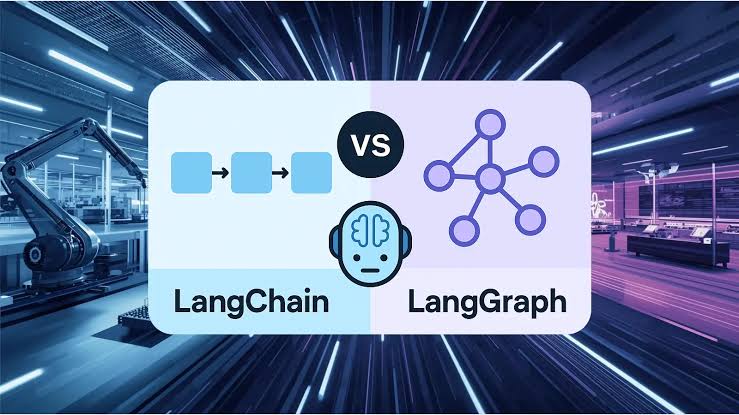
LangChain is for building predictable pipelines where the sequence of steps is known ahead of time. LangGraph is for building agents where the sequence of steps depends on what happens during execution.
If you can draw your application as a straight line from input to output, use LangChain. If you need to draw it as a flowchart with decision diamonds and loops back to earlier steps, use LangGraph.
Where the Overlap Actually Comes From
Part of the confusion is that LangGraph is not a replacement for LangChain, it is built on top of it. You can and often should use LangChain’s components (retrievers, model wrappers, tool definitions, document loaders) as the individual nodes inside a LangGraph graph. So the real comparison is not “chain vs graph” as competing philosophies, it is “do I need the orchestration layer that LangGraph provides, or is a straight pipeline enough.”
Many production systems use both: LangChain handles the data plumbing, and LangGraph handles the control flow and decision logic sitting on top of it.
Practical Examples
Use LangChain when:
- You are building a straightforward RAG system where the flow is: retrieve, then generate.
- You need to summarize documents in a fixed, repeatable process.
- You are extracting structured data from text with a single prompt and parser.
- You are building a chatbot that answers questions from a fixed knowledge base with no need for the bot to take independent actions or revise its plan mid-conversation.
Use LangGraph when:
- You are building an agent that decides which tool to use based on the query, and might need to use more than one tool before answering.
- Your agent needs to check its own output and retry or self-correct if something looks wrong.
- You need a human to approve a step (like sending an email or executing a database write) before the agent continues.
- You are running long tasks that might fail partway through and need to resume from a checkpoint rather than restart.
- You need to maintain a conversation across many turns where the agent’s next move depends heavily on everything that happened before.
Code Structure: A Quick Mental Model
In LangChain, you write something close to:
chain = prompt | model | output_parser
result = chain.invoke(input)
It runs top to bottom, once, and stops.
In LangGraph, you define a graph:
graph.add_node("call_model", call_model_fn)
graph.add_node("call_tool", call_tool_fn)
graph.add_conditional_edges("call_model", should_continue, {
    "tools": "call_tool",
    "end": END
})
graph.add_edge("call_tool", "call_model")
Notice the edge going from call_tool back to call_model. That loop is the entire point. The graph keeps cycling between calling the model and calling tools until some condition says stop. A chain has no clean way to express “go back and try that step again based on what just happened.” A graph does.
Common Mistakes People Make
The most frequent mistake is reaching for LangGraph by default because it feels more sophisticated, then ending up with a graph that has one node, one edge, and no branching at all. That is just a chain with extra ceremony. If your task does not need loops or conditional paths, the added complexity of managing graph state will slow you down for no benefit.
The opposite mistake is building an agent inside a LangChain chain by stuffing a “while loop” of tool calls into custom Python code around the chain, instead of letting LangGraph manage that loop natively. This usually works at first, then breaks down once you need to add retries, checkpointing, or human review, because none of that state management was designed in from the start.
A good rule of thumb: start by sketching your application flow on paper. If it is a straight line, write it as a chain. The moment you draw an arrow going backward to an earlier step, or a diamond representing a decision with more than one outcome, you are looking at a graph, and LangGraph is the right tool.
Which One Should You Learn First?
If you are new to building with LLMs, start with LangChain. Understanding chains, prompts, retrievers, and output parsing gives you the vocabulary and building blocks you will reuse inside LangGraph anyway. Once you hit a project where the logic needs to branch or loop based on runtime decisions, that is your natural entry point into LangGraph, and it will make a lot more sense once you have felt the limits of a linear chain firsthand.
Final Thought
LangChain and LangGraph are not rivals fighting for the same job. LangChain handles the pipeline: getting data in, processing it, getting an answer out, in a predictable sequence. LangGraph handles the decision-making: routing between steps, looping until a condition is met, pausing for human input, and recovering from failure.
Most serious agent projects end up using both. The question is not which framework wins, it’s which layer your current problem actually lives in. Figure that out first, and the choice of tool follows naturally.
Need a Consultancy?